elena qian

crossfill

overview

shipped a dashboard that replaces fragmented manual workflows

overview

shipped a dashboard that replaces fragmented manual workflows
introduction

crossfill is an end to end ai visibility platform that helps brands understand how they appear in ai search and improve their presence across ai generated answers.

crossfill is an end to end ai visibility platform that helps brands understand how they appear in ai search and improve their presence across ai generated answers.

team

me: product designer (led internal admin feature)

lead product designer: dashboard experience lead

engineering: implementation + deployment

customer success: workflow and client insights

me: product designer (led internal admin feature)

lead product designer: dashboard experience lead

engineering: implementation + deployment

customer success: workflow and client insights

the platform analyzes search and ai visibility data, identifies optimization opportunities, and guides clients through improving their content.

previously the dashboard only surfaced visibility metrics. teams could see performance insights but could not take action inside the product. the actual optimization workflow happened outside the platform across multiple tools.

we designed and shipped a new dashboard experience that brought the optimization workflow into the product.

this was the first release in a larger shift toward a fully self serve optimization platform.

the work unfolded in two phases.

  1. first we centralized optimization tracking in the dashboard while teams still relied on google docs for editing

  1. next we introduced an inline editor so teams and clients could review and complete optimizations entirely within the platform.

the platform analyzes search and ai visibility data, identifies optimization opportunities, and guides clients through improving their content.

previously the dashboard only surfaced visibility metrics. teams could see performance insights but could not take action inside the product. the actual optimization workflow happened outside the platform across multiple tools.

we designed and shipped a new dashboard experience that brought the optimization workflow into the product.

this was the first release in a larger shift toward a fully self serve optimization platform.

the work unfolded in two phases.

  1. first we centralized optimization tracking in the dashboard while teams still relied on google docs for editing

  1. next we introduced an inline editor so teams and clients could review and complete optimizations entirely within the platform.

No headings found on page

problem we had to solve

the optimization workflow happened across multiple tools. teams used slack for coordination spreadsheets for tracking google drive for storing outputs and google docs for reviewing optimized content.

this fragmented workflow created unreliable tracking, duplicate work, human errors and slower publishing velocity.

objective

design a dashboard experience that supports the end to end optimization workflow and allows teams to take action directly in the product.

kickoff

understanding the existing system

we began by mapping the current workflow from recommendation → approval → optimization → publishing.

most friction came from manual handoffs duplicated tracking approvals happening outside the product and unclear ownership of next steps.

discovery

we partnered with customer success and engineering to understand how optimizations were currently managed.

1

audit of the current workflow

with customer success, we audited how optimizations were managed day to day:

  • slack threads for approvals and updates

  • spreadsheets for tracking status and dates

  • google drive folders for optimized markdown outputs

we identified repeated failure points, especially around manual entry, missing context, and unclear ownership of next steps.

audit of the current workflow

customer success shared consistent patterns from client interactions:

  • clients didn’t know what action to take without being notified

  • approvals for blog recommendations were a major bottleneck

  • clients had to leave the dashboard to review content or confirm status

  • internal teams frequently followed up just to move work forward

one key insight was that blog recommendations from google search console were already data-backed, but approvals were handled manually before optimization even started.

2

customer success insights

we partnered with engineering to define what was possible for the first release.

engineering confirmed:

  • we could link blog recommendations directly to gsc data

  • clients could accept or dismiss recommendations in the dashboard

  • accepted recommendations could automatically enter the backend optimization workflow

  • we could support permission-based admin controls in the same dashboard view

  • an inline editor was out of scope for mvp, but could be explored later

this helped us design a solution that reduced manual steps immediately, while leaving room to expand toward inline editing and deeper in-platform workflows that move the product towards being fully self-serve.

3

engineering capability review

kickoff

understanding the existing system

we began by mapping the current workflow from recommendation → approval → optimization → publishing → impact tracking.

this made it clear that most of the friction came from:

  • manual handoffs

  • duplicated tracking

  • approvals happening outside the product

  • publishing steps that required coordination instead of clear actions

we identified where manual effort and errors were highest and what pain points repeated across teams.

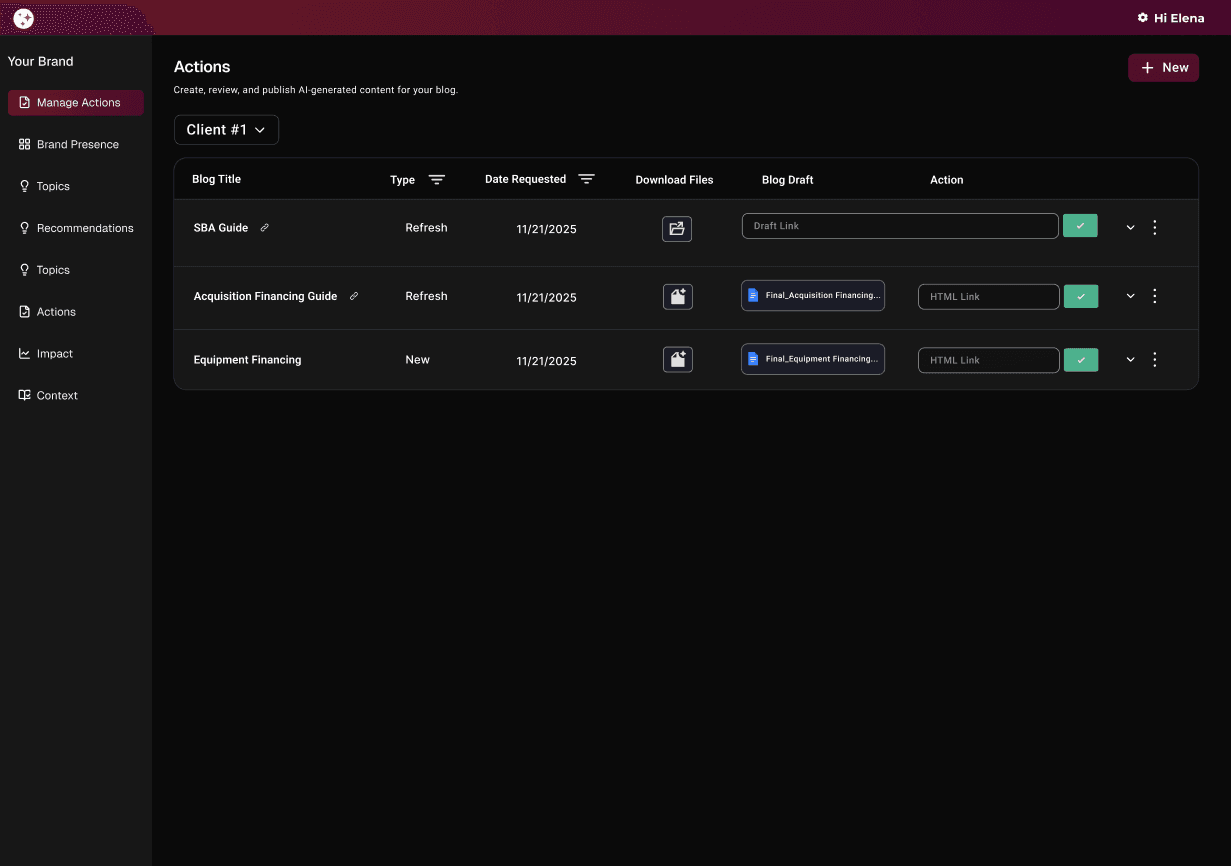
v0: ideation

This v0 approach was a temporary solution while the content editor was in development. At this stage, teams will still rely on Google Docs, and the dashboard functioned primarily as a content tracking and state management tool, not a full self-serve tool.

Because the system could not automatically update states, content and admin teams manually moved items through workflows, created Google Docs, and pushed drafts or HTML to clients.

This workflow was used for about one month.

admin controls

Idea #1

shipped

separate tab
(login control)

explored but not adopted

  • it introduced duplicated workflow logic that would be replaced once the editor ships

  • admins/content team aren’t looking at the same screen the client sees
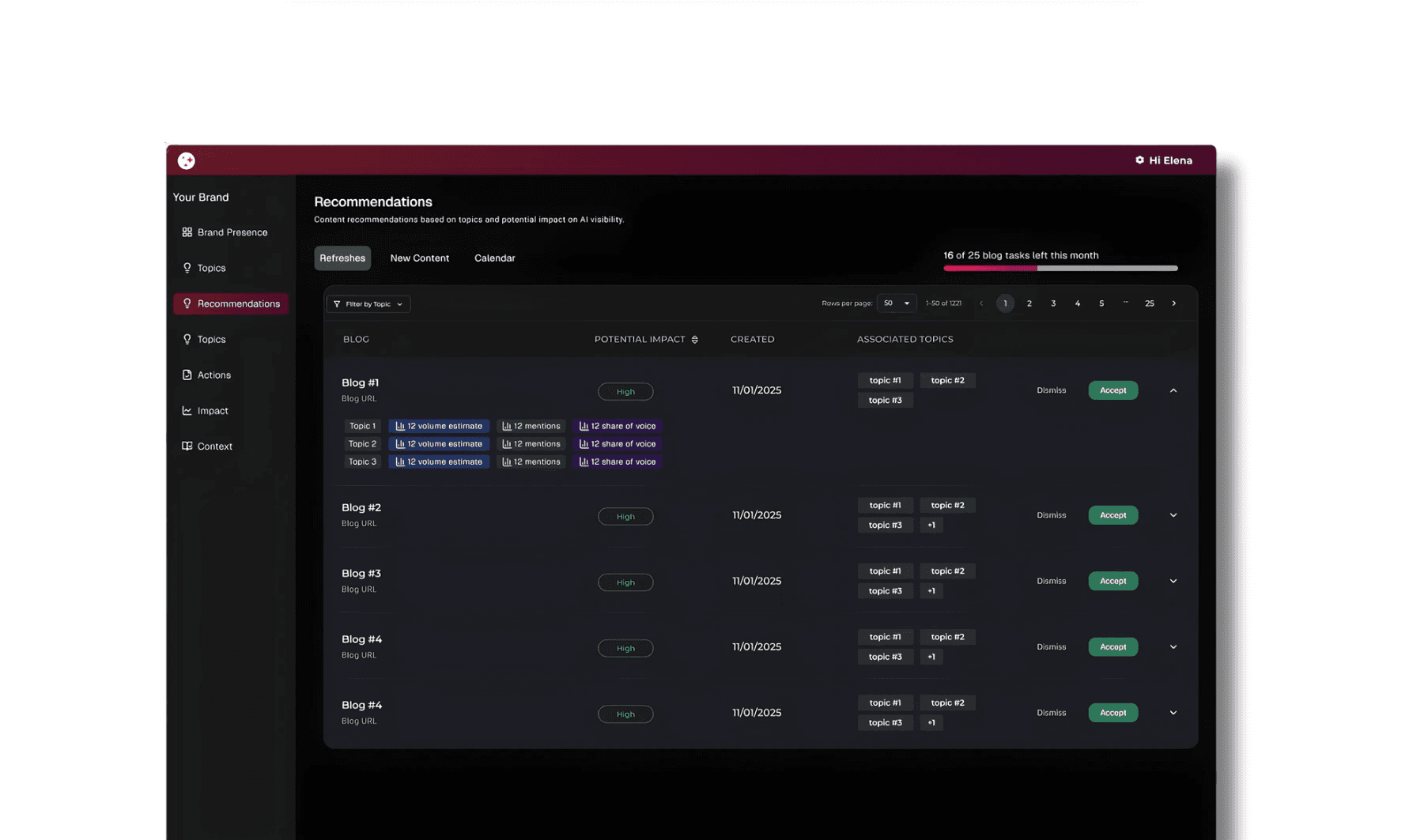
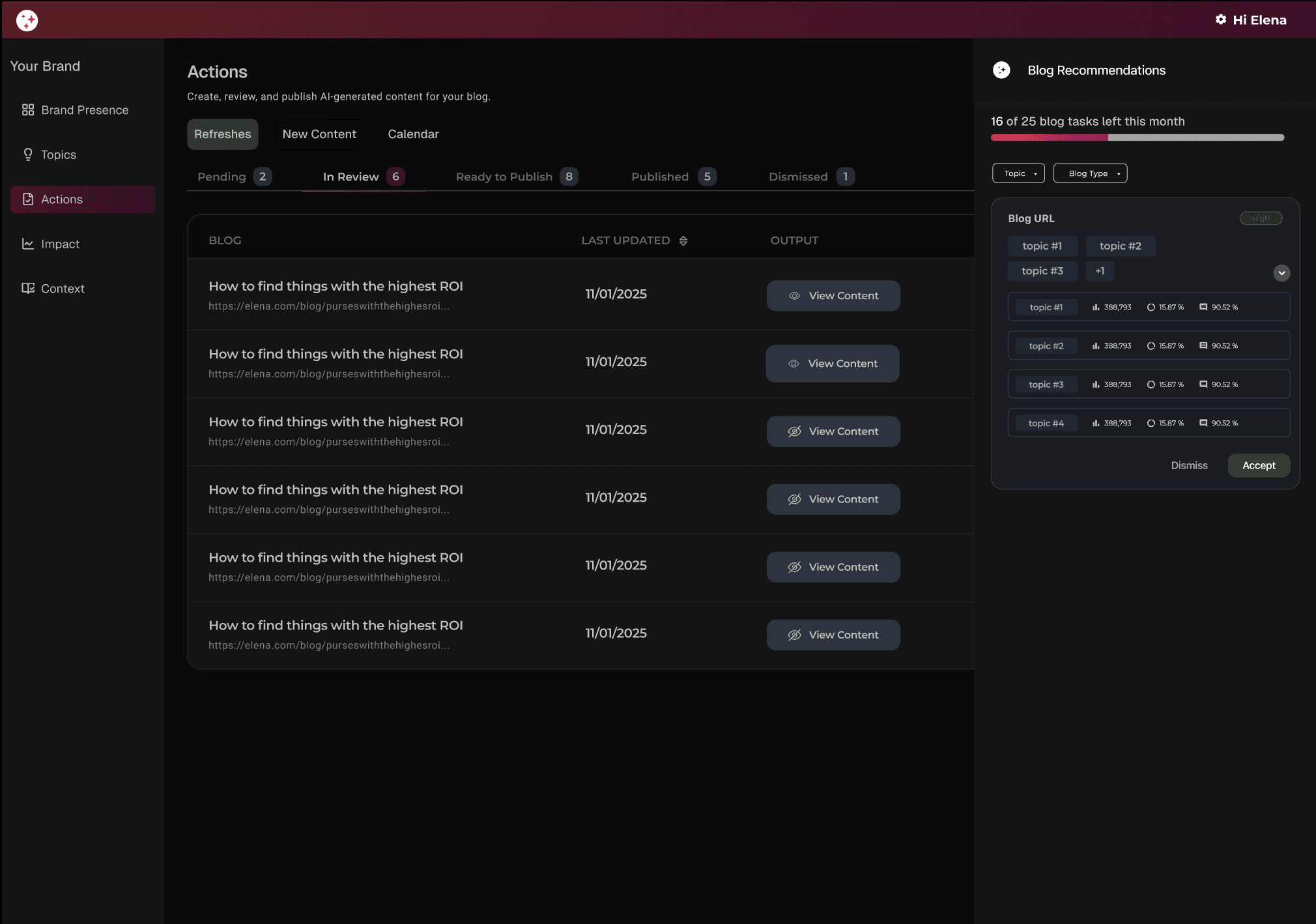
v1: ideation

content recommendations + calendar

Idea #1

shipped

slide-in panel

explored but not adopted

  • too much information in one view


  • the panel competed with core actions and made it harder to focus on tasks
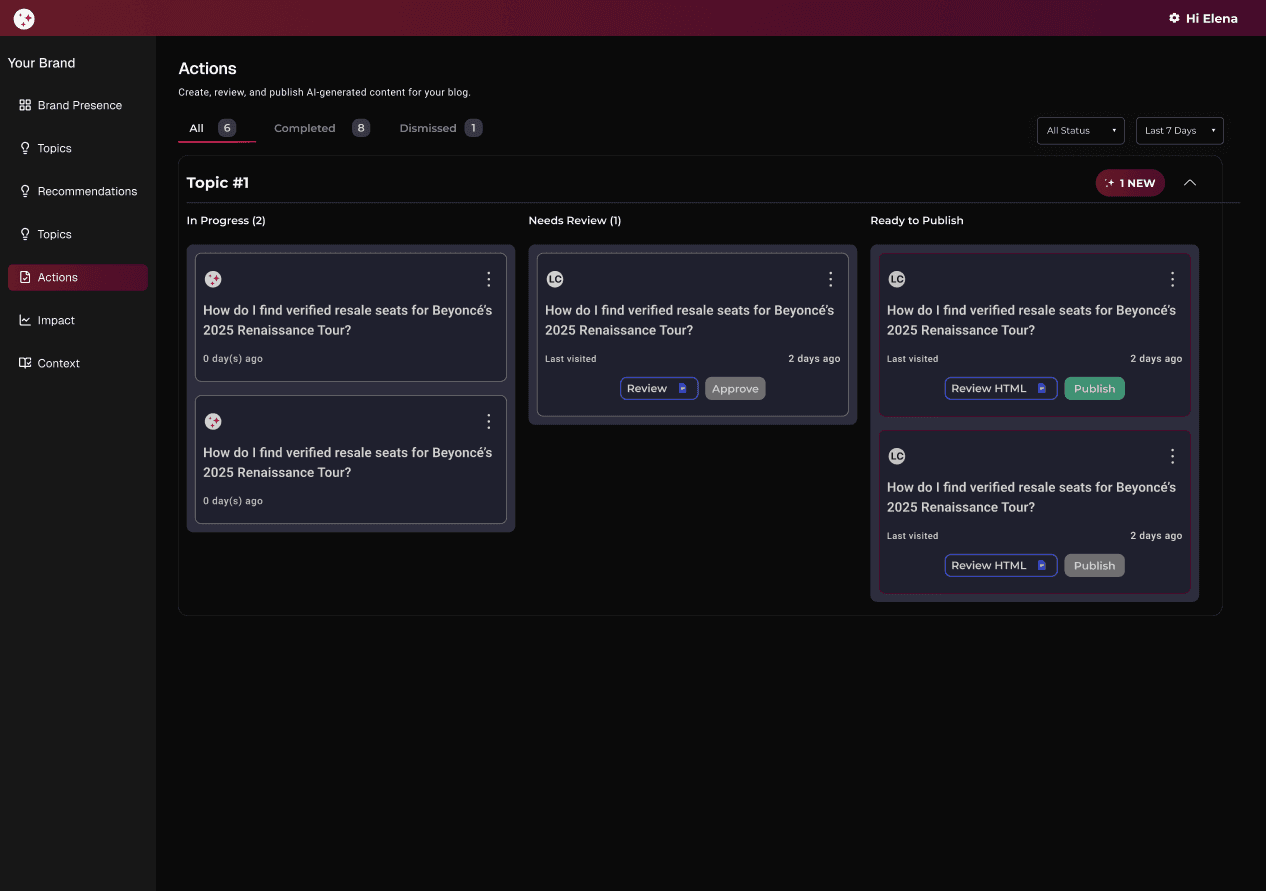
actions page layout

Idea #1

Idea #2

shipped

kanban layout

explored but not adopted

  • a single blog could belong to multiple topics, creating ambiguity about where it “lives”


  • cognitive load increases quickly as cards accumulate across columns


  • state visibility was secondary

next steps

this first release unlocked future improvements:

  • moving review and drafting further in-platform

  • exploring an inline editor for optimized content

  • deeper integration with search data and performance insights

  • versioning and re-optimization workflows