plantment

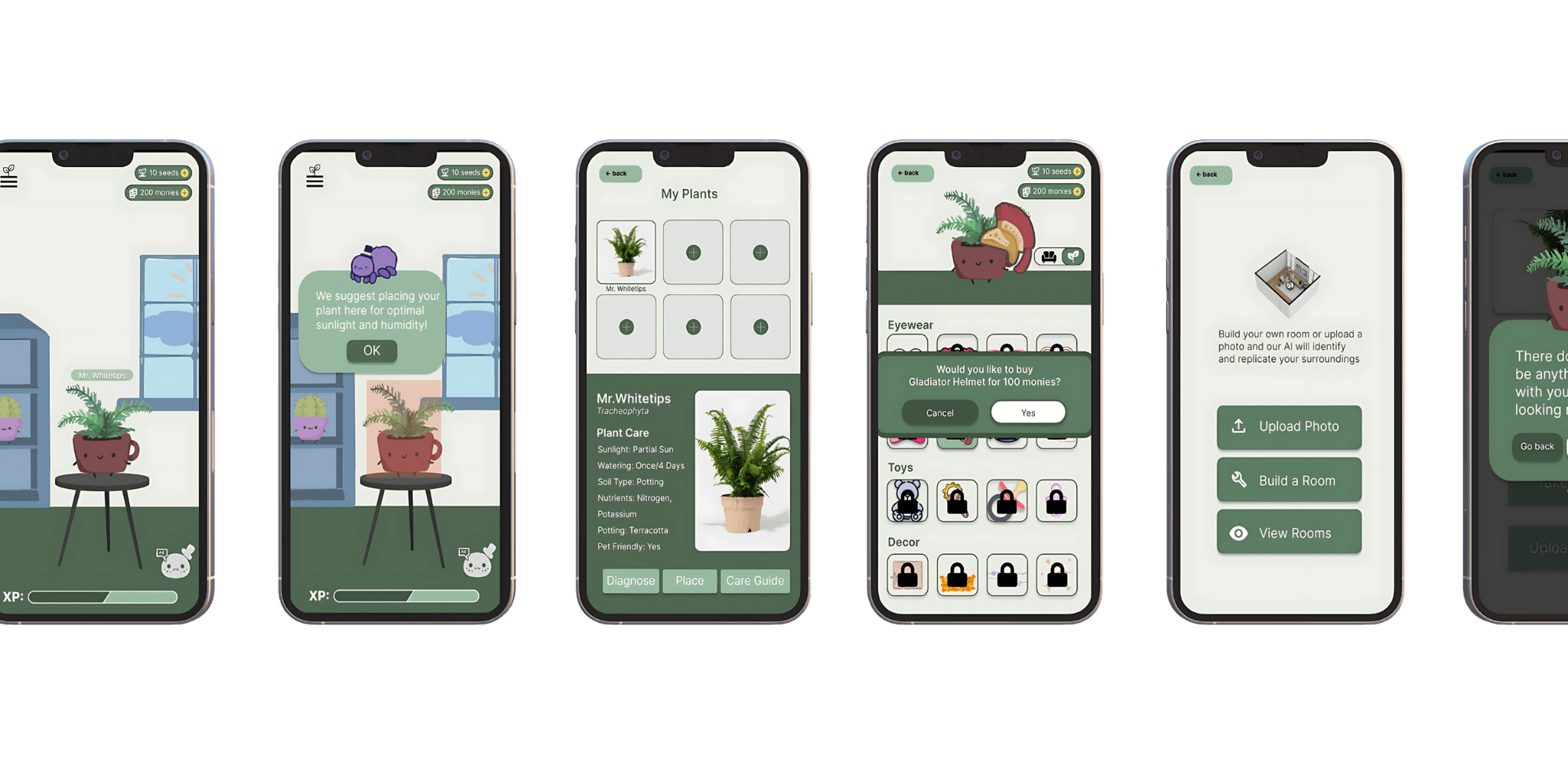
plant buddies is a gamified plant care app that brings a little fun (and a little ai) into the world of plant parenting. inspired by virtual pet games like webkinz, the app lets users care for digital plants that represent their real-life ones. but it’s not just for fun—ai features help users learn the best ways to care for their plants, from watering schedules to ideal sunlight placement.

our team of five was challenged to build an app using open ai technology, and that’s where plant buddies came to life. we wanted to create something helpful for all the plant parents out there who love their greenery but don’t always know what it needs. by turning plant care into a game, we made it easier (and way more fun) to keep plants happy and thriving—both on screen and on the windowsill.

01

01

problem

problem

  • figuring out where to place their plant for the right light

  • dealing with mites, pests, and other unwelcome visitors

  • forgetting to water their plants on time

  • accidentally over-watering and causing root rot

  • not knowing how to care for their specific plant

  • struggling to find info tailored to their plant’s unique problem

  • simply not having the time or attention to give their plants what they need

02

02

solution

solution

  • create one easy-to-use platform where users can see and manage all their plants

  • give users a virtual space to care for their plants anytime, anywhere

  • add fun, game-like features to keep users engaged and motivated

  • personalize the experience to help users identify and solve specific plant issues

  • suggest ideal plant placement and share helpful care tips tailored to each plant
03

user research

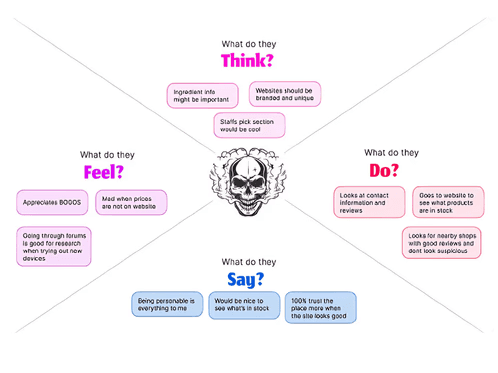
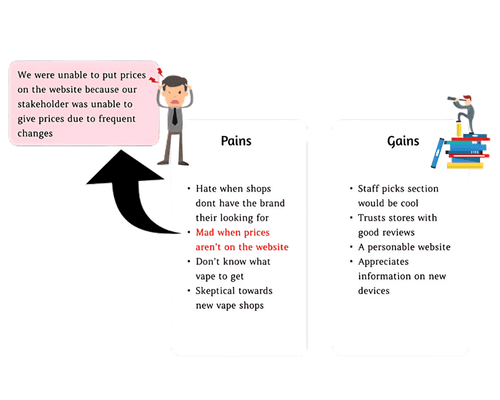
i used a mix of qualitative and quantitative research methods to better understand user needs. for the qualitative side, we conducted 12 user interviews to uncover pain points, goals, and features people actually cared about. on the quantitative side, we distributed an online survey and gathered 37 responses to validate patterns and get a broader view of user behavior.
Project showcase laptop mockup

initial user flow


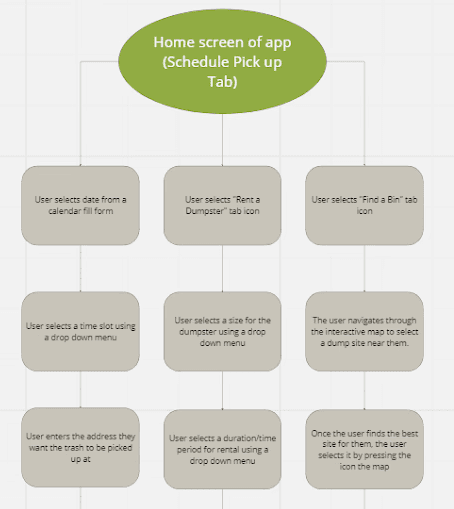
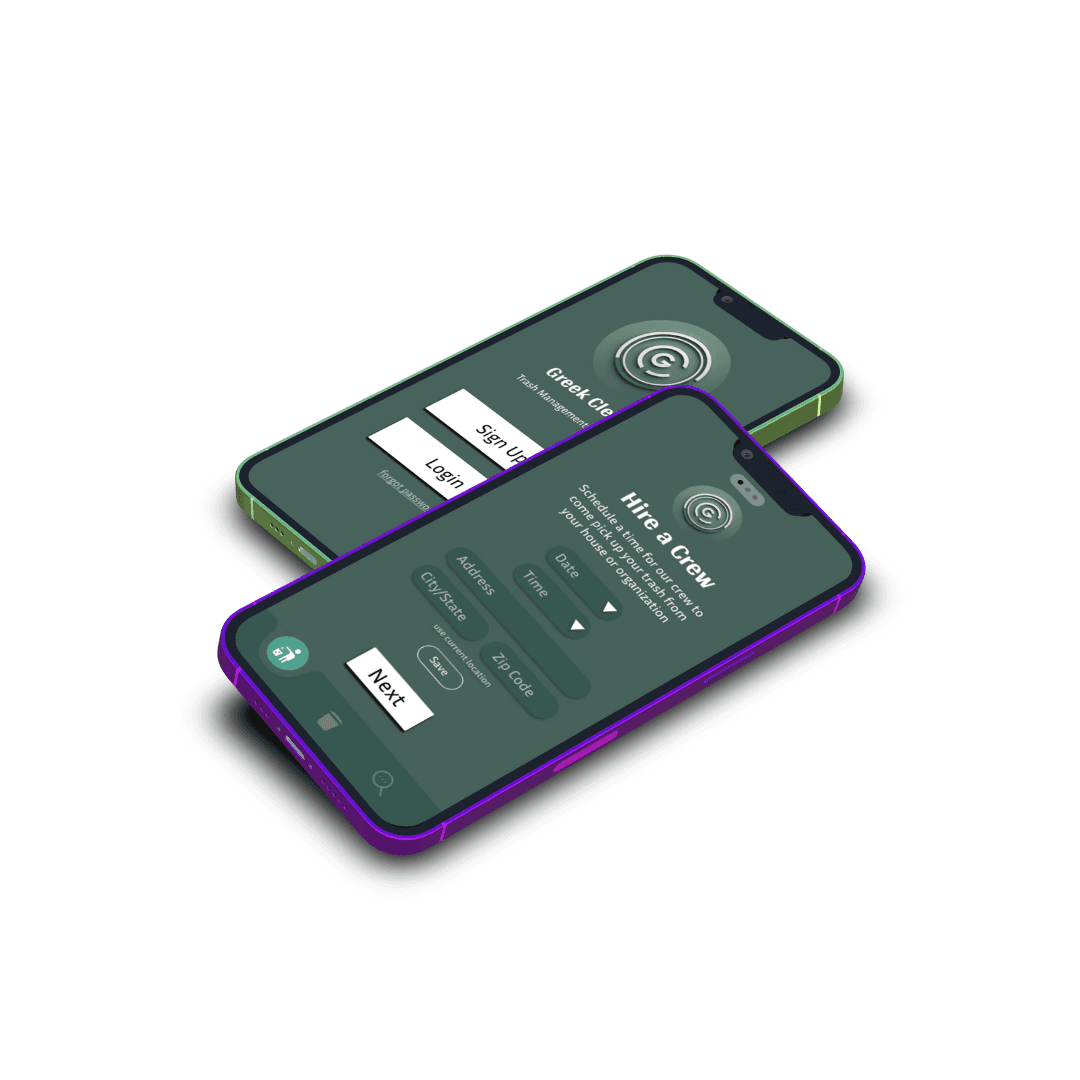
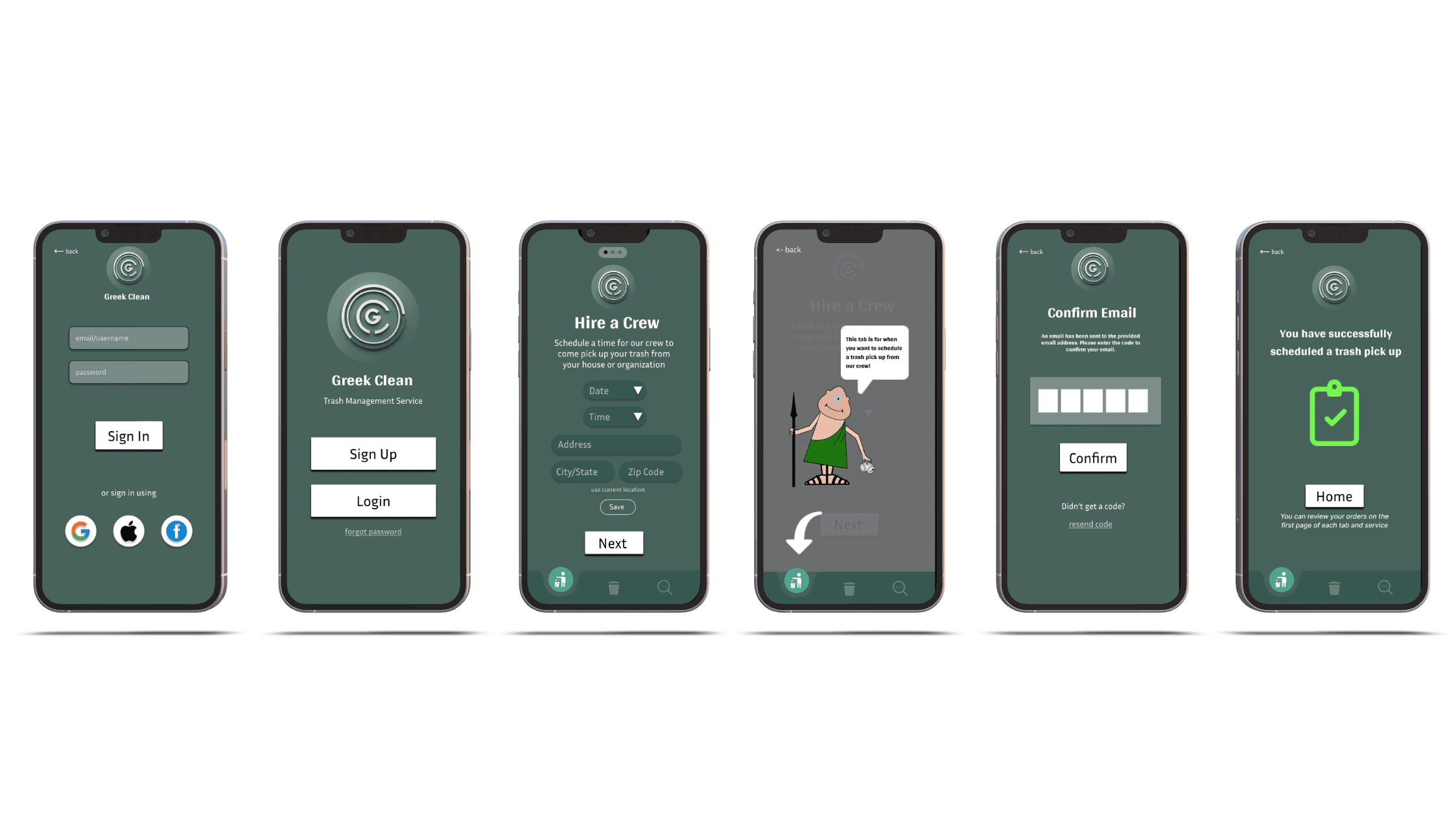
for the first user flow, we mapped out the basic interaction within the greek clean app, focusing on three core actions: scheduling a trash pickup, renting a dumpster, or finding a nearby bin.
the flow captured the main screens and dropdown steps users would go through from the home tab to submission. it helped visualize the general structure, but after conducting interviews, i realized users wanted a clearer, more guided process that reduced decision fatigue and made the experience feel quicker and more intuitive.


initial user flow


for the first user flow, we mapped out the basic interaction within the greek clean app, focusing on three core actions: scheduling a trash pickup, renting a dumpster, or finding a nearby bin.
the flow captured the main screens and dropdown steps users would go through from the home tab to submission. it helped visualize the general structure, but after conducting interviews, i realized users wanted a clearer, more guided process that reduced decision fatigue and made the experience feel quicker and more intuitive.


iterated user flow


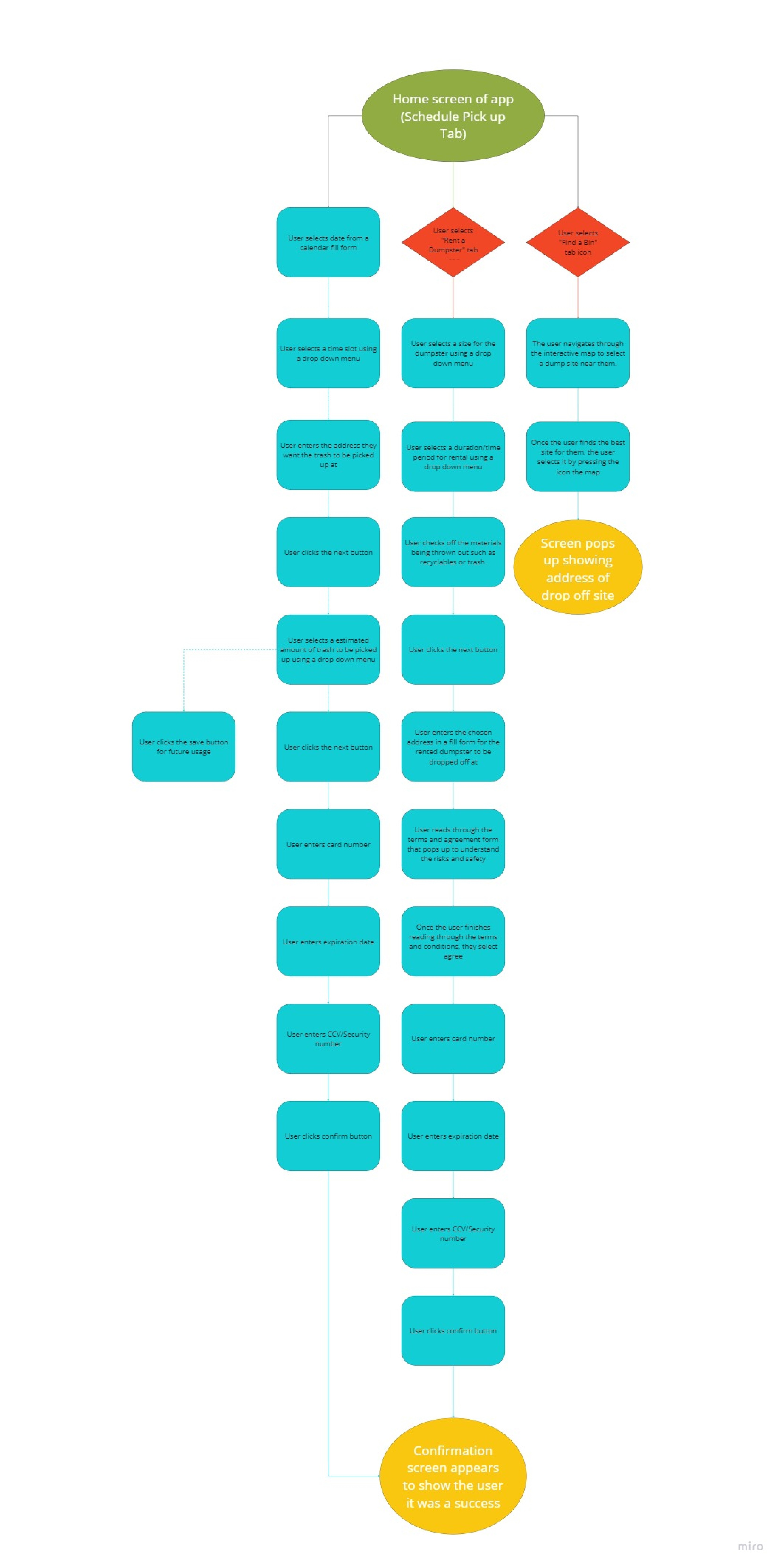
based on that feedback, i created a more detailed and structured second user flow. i added more steps, like confirmation screens, agreement prompts, and payment input fields, to reflect a complete end-to-end journey. i also broke down each path more clearly—especially for dumpster rentals and bin locations—so it was easier to follow. these updates helped align the flow more closely with user expectations around simplicity, transparency, and trust.

Mapped out three key user paths: schedule pickup, rent a dumpster, and find a bin

  • identified user pain points around unclear dropdowns, form complexity, and timing issues

  • focused on simplifying steps, improving clarity in map and form UI, and adding confirmation checkpoints

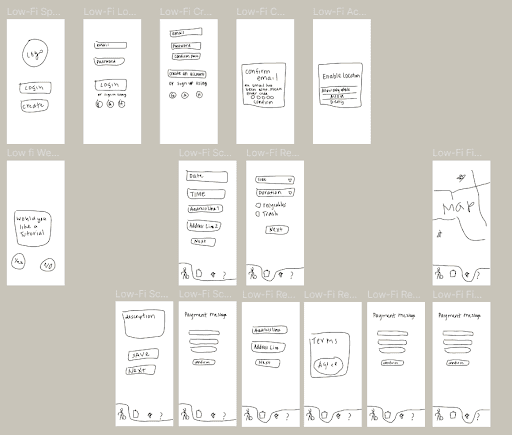
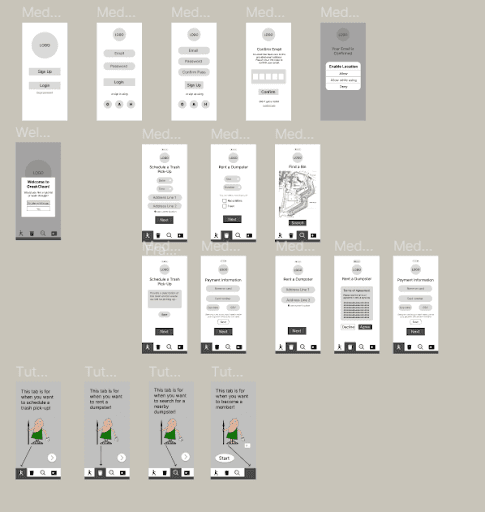
  • used the journey map to inform wireframes and design iterations


iterated user flow


based on that feedback, i created a more detailed and structured second user flow. i added more steps, like confirmation screens, agreement prompts, and payment input fields, to reflect a complete end-to-end journey. i also broke down each path more clearly—especially for dumpster rentals and bin locations—so it was easier to follow. these updates helped align the flow more closely with user expectations around simplicity, transparency, and trust.

Mapped out three key user paths: schedule pickup, rent a dumpster, and find a bin

  • identified user pain points around unclear dropdowns, form complexity, and timing issues

  • focused on simplifying steps, improving clarity in map and form UI, and adding confirmation checkpoints

  • used the journey map to inform wireframes and design iterations


04

04

Result

Result

After implementing the new brand identity focused on making financial transactions and management easy, fast, and secure, the results were impressive. The app experienced a notable increase in user engagement, with a significant uptick in downloads and active users. The streamlined and user-friendly interface resonated well with the target audience of young professionals, who appreciated the ease of managing their finances on-the-go.
hi again! lets grab boba

hi again!
lets connect

hi again!
lets connect

Create a free website with Framer, the website builder loved by startups, designers and agencies.