-Badejo Portfolio

Introducing our Minimal Portfolio Design Template — a sleek and clutter-free solution designed for designers seeking a visually striking platform to showcase their projects. This template offers a seamless and intuitive user experience, emphasizing simplicity and elegance.

01

01

Key Features

Key Features

Clean and Clutter-Free Design: The template ensures that your projects take center stage with a minimalist layout, avoiding unnecessary distractions and allowing your work to shine.
Smooth Transitions: Elevate your portfolio with seamless transitions between sections, providing a polished and engaging user experience. Effortlessly guide visitors through your projects with fluid animations."
Day Mode and Night Mode: Tailor your portfolio's appearance to match different preferences or viewing environments. Switch effortlessly between Day Mode and Night Mode, ensuring optimal visibility and a comfortable browsing experience.

02

02

Other features

Other features

Project Focus: Each project is presented with meticulous attention to detail, allowing users to delve into your work without the need for unnecessary clicks or overwhelming details. Streamlined project pages provide a clear narrative for each piece in your portfolio.
Responsive Design: The template is optimized for various devices, ensuring a consistent and visually pleasing experience for visitors on desktops, tablets, and smartphones.
Interactive Elements: Incorporate subtle interactive elements to engage users, such as hover effects and click animations, enhancing the overall user experience and making your portfolio memorable.
03

Why should you use it?

In essence, our Minimal Portfolio Design Template offers a sophisticated and user-centric solution for designers aiming to showcase their projects elegantly. Elevate your portfolio with this thoughtfully crafted template that prioritizes simplicity, user engagement, and a seamless display of your creative work.
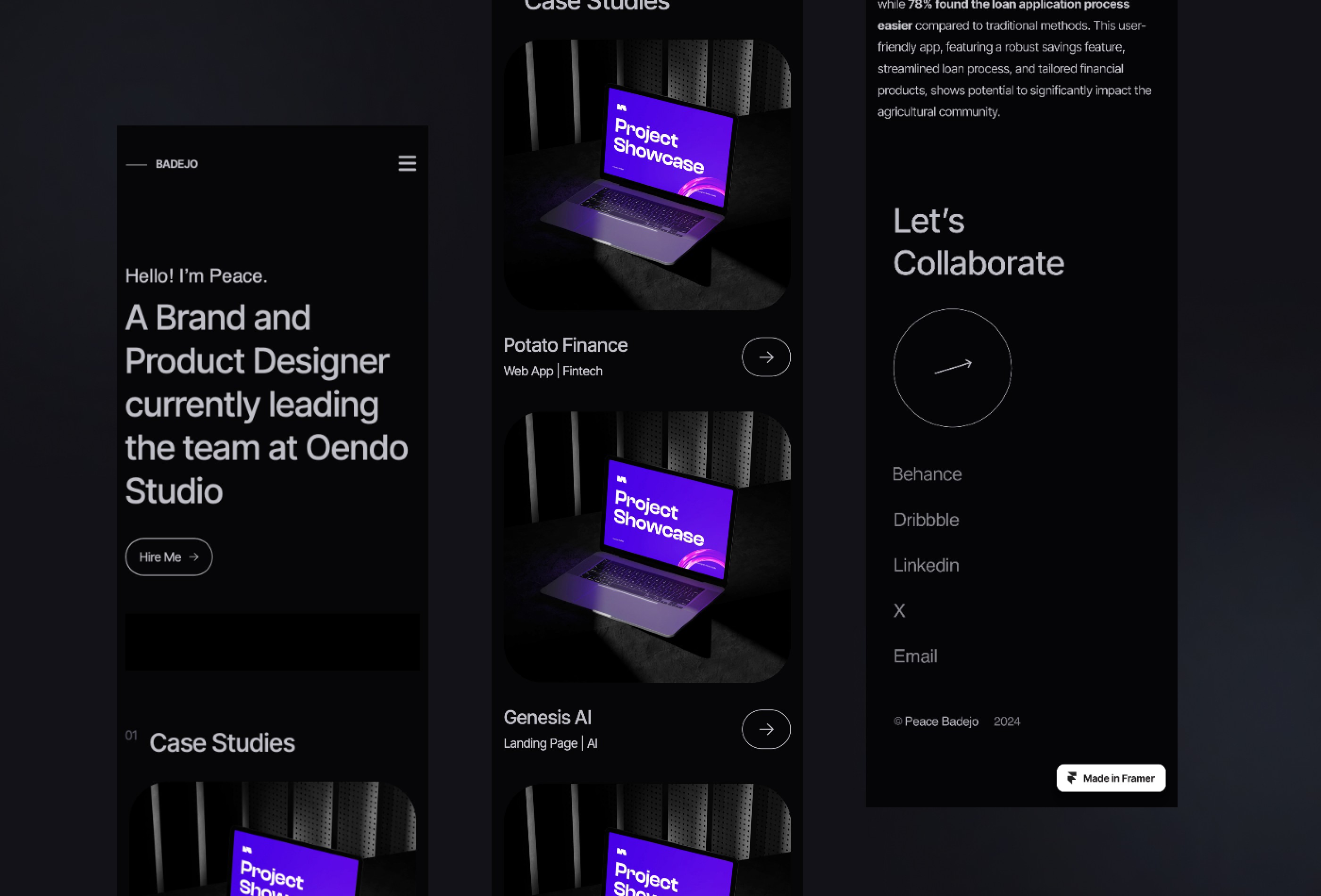
Project showcase laptop mockup

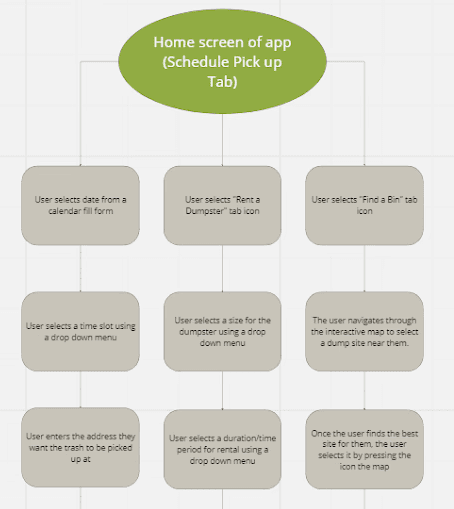
initial user flow


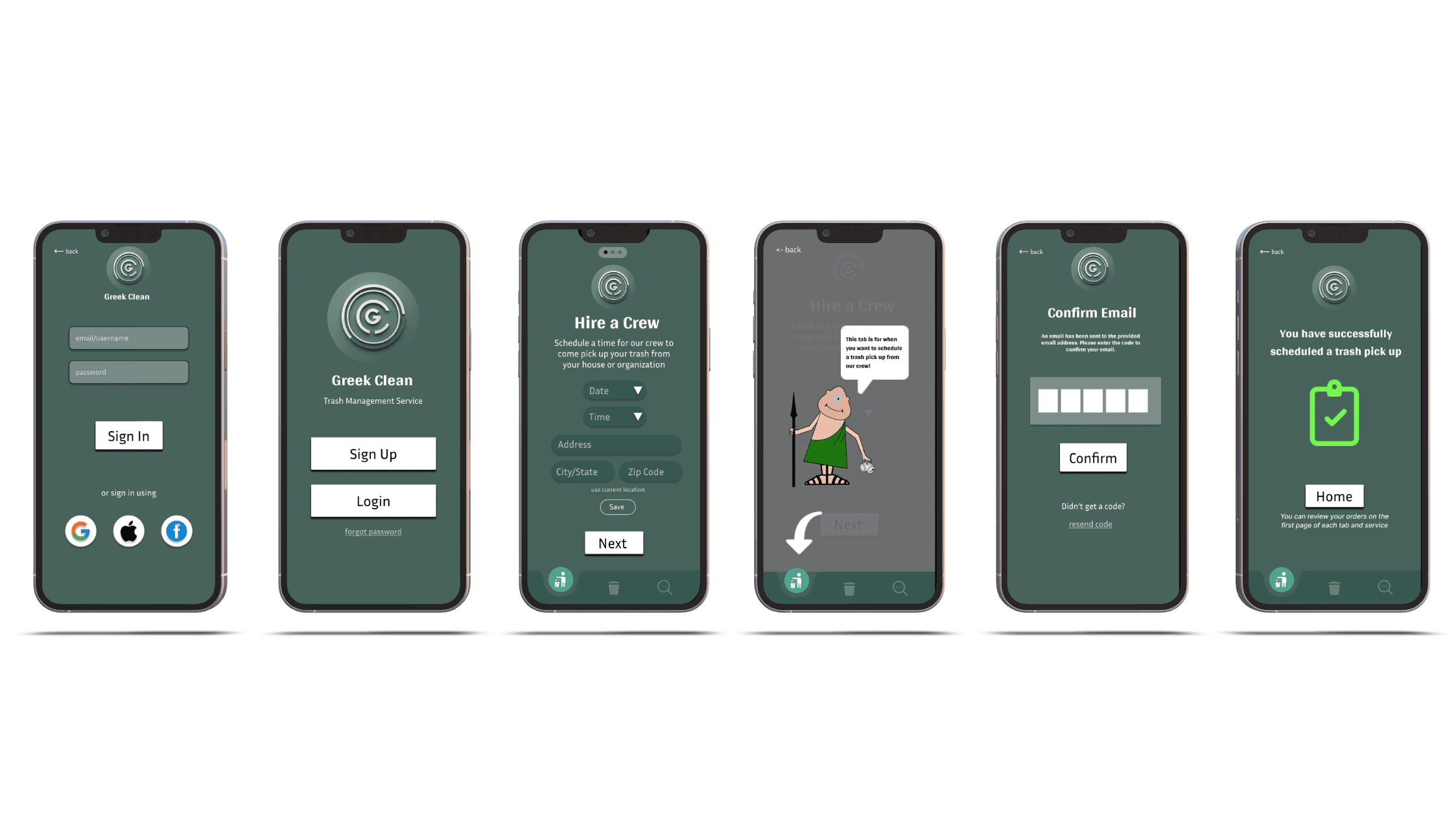
for the first user flow, we mapped out the basic interaction within the greek clean app, focusing on three core actions: scheduling a trash pickup, renting a dumpster, or finding a nearby bin.
the flow captured the main screens and dropdown steps users would go through from the home tab to submission. it helped visualize the general structure, but after conducting interviews, i realized users wanted a clearer, more guided process that reduced decision fatigue and made the experience feel quicker and more intuitive.


initial user flow


for the first user flow, we mapped out the basic interaction within the greek clean app, focusing on three core actions: scheduling a trash pickup, renting a dumpster, or finding a nearby bin.
the flow captured the main screens and dropdown steps users would go through from the home tab to submission. it helped visualize the general structure, but after conducting interviews, i realized users wanted a clearer, more guided process that reduced decision fatigue and made the experience feel quicker and more intuitive.


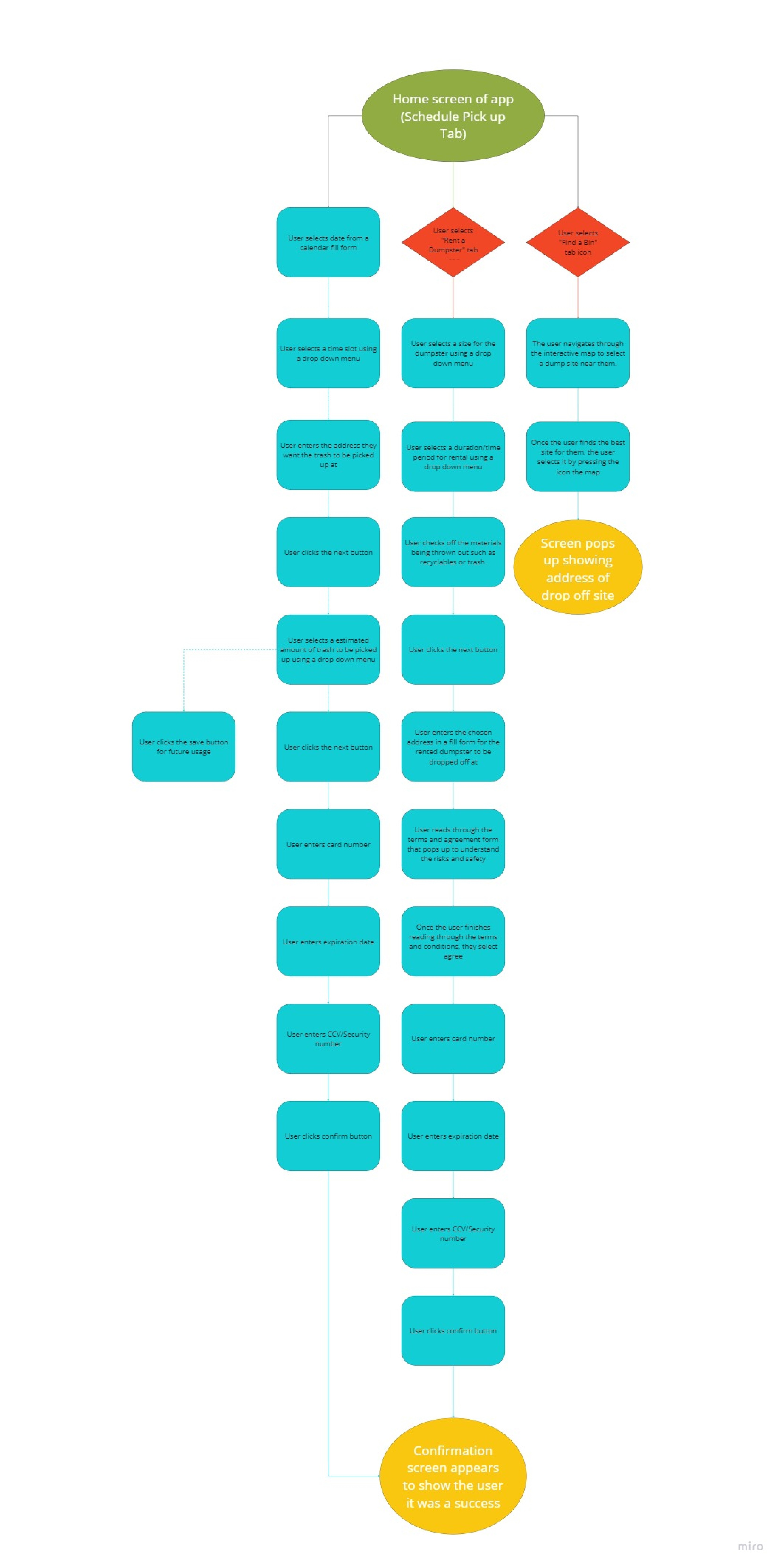
iterated user flow


based on that feedback, i created a more detailed and structured second user flow. i added more steps, like confirmation screens, agreement prompts, and payment input fields, to reflect a complete end-to-end journey. i also broke down each path more clearly—especially for dumpster rentals and bin locations—so it was easier to follow. these updates helped align the flow more closely with user expectations around simplicity, transparency, and trust.

Mapped out three key user paths: schedule pickup, rent a dumpster, and find a bin

  • identified user pain points around unclear dropdowns, form complexity, and timing issues

  • focused on simplifying steps, improving clarity in map and form UI, and adding confirmation checkpoints

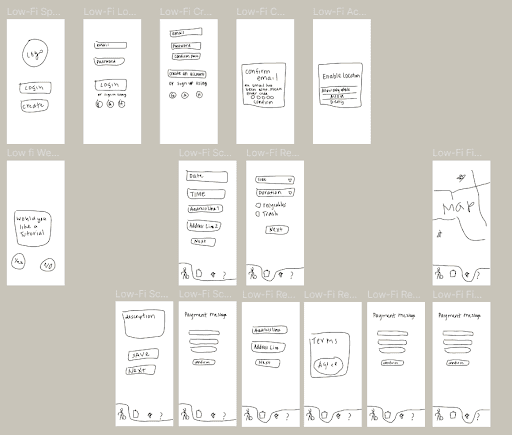
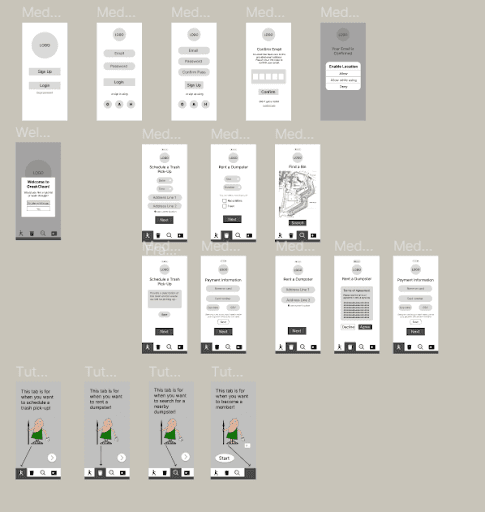
  • used the journey map to inform wireframes and design iterations


iterated user flow


based on that feedback, i created a more detailed and structured second user flow. i added more steps, like confirmation screens, agreement prompts, and payment input fields, to reflect a complete end-to-end journey. i also broke down each path more clearly—especially for dumpster rentals and bin locations—so it was easier to follow. these updates helped align the flow more closely with user expectations around simplicity, transparency, and trust.

Mapped out three key user paths: schedule pickup, rent a dumpster, and find a bin

  • identified user pain points around unclear dropdowns, form complexity, and timing issues

  • focused on simplifying steps, improving clarity in map and form UI, and adding confirmation checkpoints

  • used the journey map to inform wireframes and design iterations


04

04

Result

Result

The result of building this template for designers has been nothing short of extraordinary, as echoed by enthusiastic testimonials:

"This is really beautiful! And it ticks every single box. The aesthetics, interaction, the user experience—everything is really, really good. You guys did such an amazing job!"
hi again! lets grab boba

hi again!
lets grab boba

hi again!
lets grab boba